


Shared desks require regular disinfection because every new user deposits a fresh microbial load on surfaces the previous occupant already contaminated, creating a continuous cross-contamination cycle that assigned desks simply do not produce. A 2024 Targeted Hygiene Intervention (THI) analysis found that protocol-driven disinfection of high-touch surfaces in shared workspaces substantially reduced gastrointestinal and respiratory infection risk, with modeled reductions in lost workdays for a 1,000-desk employer.
Start today with three actions:
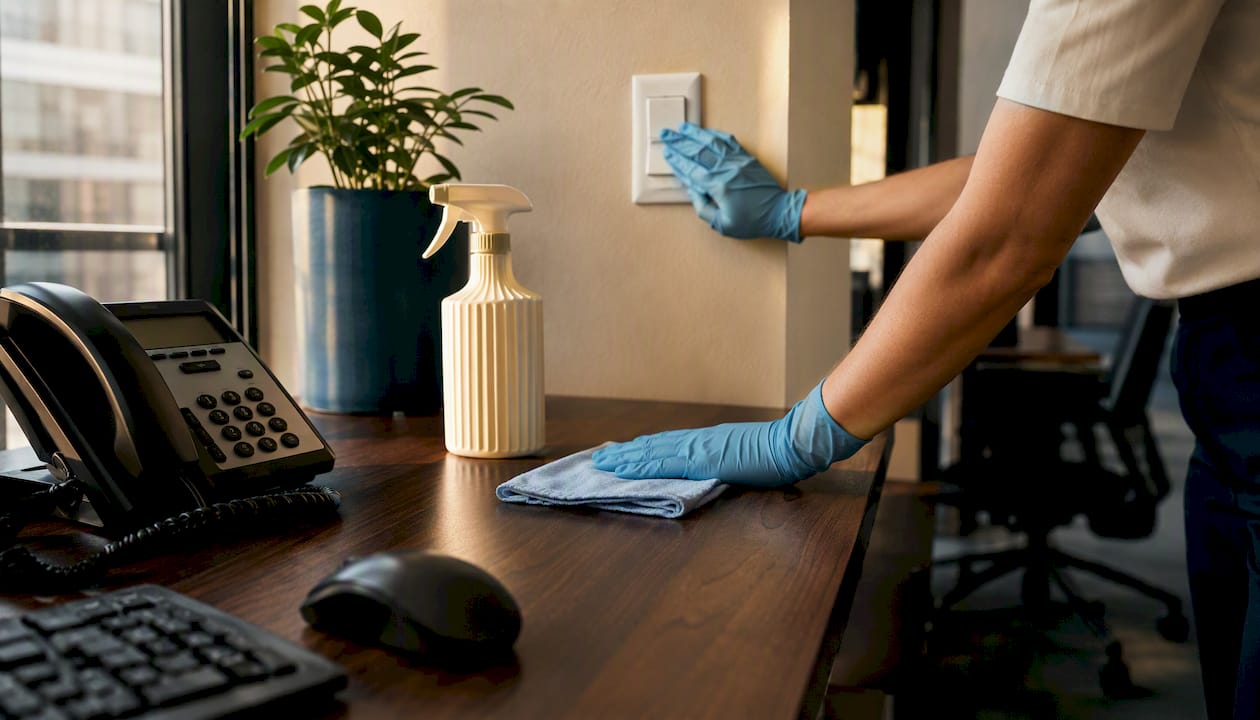
- Arrival wipe: every user wipes the keyboard, mouse, phone handset, and desk surface before sitting down, using an EPA-registered disinfectant wipe.
- Departure wipe: the same user repeats the wipe before leaving, so the next occupant inherits a clean surface.
- Daily professional disinfectant clean: a trained facility or contracted cleaning team performs a full disinfectant pass on all shared workstations at least once per day.
Key Takeaways
| Point | Details |
|---|---|
| Disinfect at every user transition | Arrival and departure wipes by users are the first line of defense against cross-contamination. |
| Clean before you disinfect | Pre-cleaning removes organic matter that blocks disinfectants from reaching pathogens on the surface. |
| Observe full dwell time | The surface must stay visibly wet for the label’s full contact time — skipping this step means disinfection did not occur. |
| Train and document | OSHA’s HazCom standard requires signed training logs, SDS access, and PPE for every worker handling disinfectants. |
| Octomaids for outsourced compliance | Octomaids handles daily disinfectant cleans, log-keeping, and supply management for offices in Vancouver, WA and Portland, OR. |
Table of Contents
- Why are shared desks a higher infection risk than assigned desks?
- What is the difference between cleaning and disinfecting shared desks?
- Which surfaces on a shared desk need disinfecting?
- How do you disinfect shared desks safely and effectively?
- How often should shared desks be disinfected?
- Who is responsible for shared-desk disinfection?
- How do you verify and document shared-desk disinfection?
- What does the research show about the ROI of disinfecting shared workspaces?
- Ready-to-use SOP for shared-desk disinfection
- The gap between policy and practice in shared-desk disinfection
- Professional shared-desk disinfection is closer than you think
- Sources
- FAQ
Why are shared desks a higher infection risk than assigned desks?
The mechanism is straightforward: user turnover. An assigned desk has one occupant whose microbial fingerprint stays relatively stable. A shared desk can cycle through four, six, or more users in a single day, each one depositing pathogens from their hands onto keyboards, mice, phone handsets, and chair arms, and then picking up whatever the previous user left behind.
Research comparing sickness absence in shared versus private office settings found that hot-desking environments are associated with higher rates of medically certified sickness absence than private, cellular offices, and shared devices tend to carry higher microbial contamination. The hands-to-surface-to-hands transfer route is the core problem: a contaminated keyboard touched by six people in a day is functionally a six-way handshake between strangers, none of whom washed their hands in between.
Shared peripherals, docking stations, and communal supplies compound the risk. A phone handset passed between users is one of the highest-touch, least-cleaned objects in any office. Add high turnover, open floor plans, and the reality that most users never think to wipe a desk before sitting down, and the infection pathway becomes predictable.
What is the difference between cleaning and disinfecting shared desks?
These two terms are often used interchangeably, but they describe distinct actions with different outcomes. CDC guidance defines cleaning as the physical removal of dirt, dust, and many germs using soap or detergent and water. Disinfecting means applying a chemical product that inactivates pathogens on a surface. Cleaning reduces the number of germs; disinfecting kills or deactivates them.
The sequence matters. Disinfectants cannot work effectively on a visibly soiled surface because organic matter shields pathogens from the active chemical. Pre-cleaning is a prerequisite, not optional.
Dwell time (also called contact time) is the single most commonly skipped step in workplace disinfection. If a product label states a two-minute dwell time and a user wipes the surface dry after 20 seconds, the disinfection did not occur. For shared desks, the practical rule is: apply, wait the full label time, then either let air-dry or wipe with a clean cloth.
When to clean only versus when to disinfect: routine daily cleaning of low-touch areas is sufficient in most circumstances. Shared desks, however, warrant disinfection at every user transition and at least once daily by a trained team, given their inherently higher contamination rate.
Which surfaces on a shared desk need disinfecting?
Focus on what hands touch most and what gets shared between users. The list is shorter than most managers expect, which makes consistent compliance easier to achieve.
High-priority items to disinfect at every user transition:
- Keyboard and mouse (or trackpad)
- Phone handset and keypad
- Desk surface, particularly the front edge and wrist-rest zone
- Chair armrests
- Docking station buttons and ports
- Shared pens, styluses, and desk accessories
- Monitor adjustment controls and touchscreens
- Cables and charging cords that multiple users handle
Electronics safety note: standard liquid disinfectants can damage screens and circuit boards. Use alcohol-based wipes rated at 70% isopropyl alcohol for keyboards, mice, and phone handsets. Avoid spraying liquid directly onto any electronic device; apply to the wipe first. For screens, use manufacturer-recommended screen-safe wipes or a microfiber cloth lightly dampened with a screen-safe solution.
How do you disinfect shared desks safely and effectively?
Safe disinfection in a shared workspace requires the right product, the right technique, and compliance with federal requirements that are not optional.
Product selection: use EPA-registered disinfectants, and check the label for the specific pathogens the product claims to kill. EPA List N identifies products with claims relevant to coronaviruses; similar lists cover norovirus and influenza. Selecting a product not registered for your target pathogen is a compliance gap, not just a preference issue.
Dwell time: the label is the law. If the label says two minutes, the surface must remain visibly wet for two minutes. Wipe-and-go defeats the purpose. Train every user and every cleaning staff member on this point specifically, because it is the most common failure mode in workplace disinfection programs.
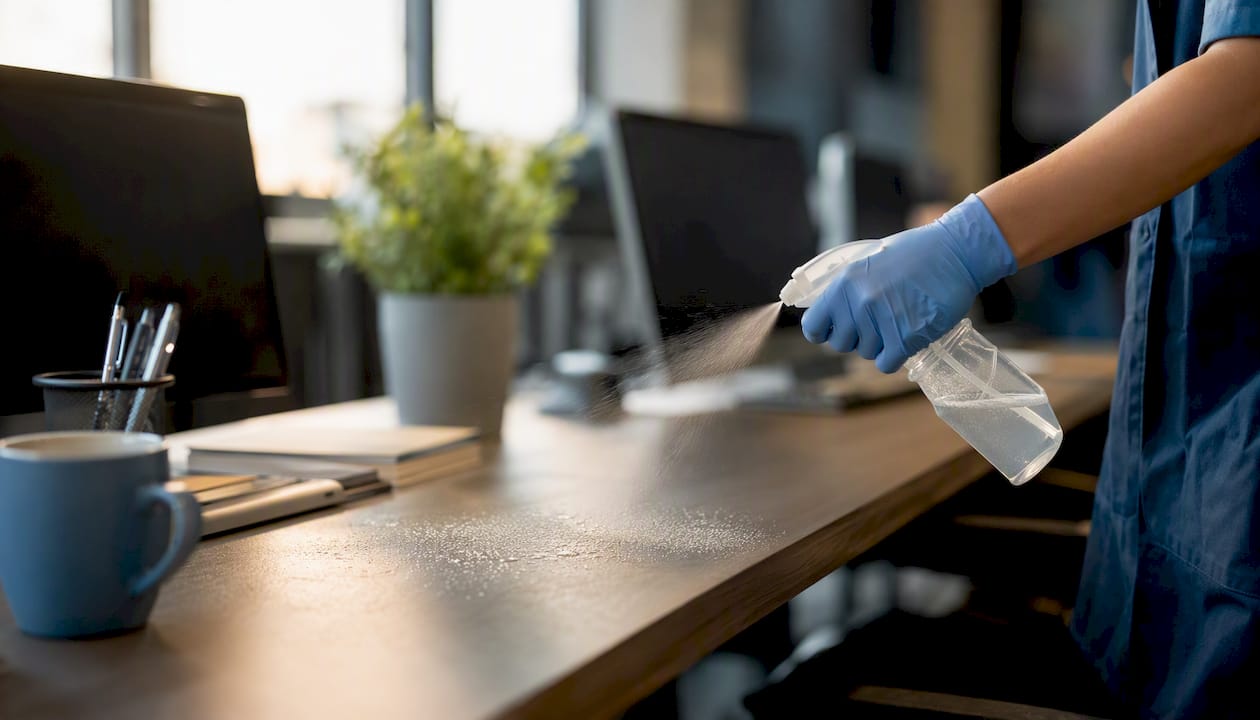
OSHA Hazard Communication (HazCom): under 29 CFR 1910.1200, employers must train workers on the chemical hazards of every disinfectant used in the workplace, maintain Safety Data Sheets (SDS) for each product, and provide appropriate personal protective equipment (PPE). For most common disinfectant wipes, PPE means nitrile gloves and adequate ventilation. For stronger disinfectants such as bleach-based solutions, eye protection and respiratory precautions may also apply.
Never mix disinfectant chemistries. Bleach combined with ammonia-based cleaners produces toxic chloramine gas. Bleach mixed with hydrogen peroxide generates excess oxygen and can cause violent reactions. Keep products separate, label them clearly, and train staff to read SDS sheets before using any new product.
Pro Tip: Post a laminated one-page SDS summary and a dwell-time reminder card at each cleaning supply station. It takes 30 seconds to make and eliminates the most common compliance gaps.
How often should shared desks be disinfected?
The answer depends on turnover, not just the clock. OSHA and CDC guidance states that cleaning once per day is usually sufficient when no known infectious person has been in a space, but shared spaces or recent exposure within 24 hours may require cleaning plus disinfection. For shared desks, the baseline is higher because user turnover is continuous.
Recommended schedule:
- Arrival wipe (user responsibility): disinfect keyboard, mouse, phone, and desk surface before starting work.
- Departure wipe (user responsibility): repeat before leaving the workstation.
- Midday touch-point clean (facility team): in high-turnover environments with three or more user shifts per day, add a midday wipe of all shared peripherals.
- Daily professional disinfectant clean (facility or contracted team): full disinfectant pass on all shared workstations, chair arms, docking stations, and shared supplies at the end of each workday.
- Post-illness disinfection (immediate): if a user reports symptoms or a confirmed infectious illness, disinfect the workstation within 24 hours using an EPA-registered product, following full dwell time.
Escalation triggers:
- Multiple employees showing symptoms within the same week
- Confirmed outbreak of a communicable illness in the building
- High local community transmission rates for a respiratory or GI pathogen
- Presence of immunocompromised employees or other vulnerable occupants
For a practical framework to build this into a recurring calendar, the office cleaning schedule guide offers a useful starting structure you can adapt for shared-desk environments.
Who is responsible for shared-desk disinfection?
Clarity on roles prevents the most common failure: everyone assuming someone else handled it. A split-responsibility model works best, with user-level resets layered on top of professional facility cleaning.
| Role | Responsibility | Minimum Frequency |
|---|---|---|
| Desk user | Arrival and departure wipes (keyboard, mouse, phone, desk surface) | Every use |
| Facility / janitorial team | Full disinfectant clean of all shared workstations and high-touch items | Daily |
| Building management | Supply provisioning (wipes, PPE, hand sanitizer), signage, SDS maintenance | Ongoing |
| Safety officer / manager | Training delivery, OSHA HazCom documentation, audit scheduling | At onboarding and annually |
Minimum training topics for all staff who use or clean shared desks:
- How to read a disinfectant product label (active ingredient, dwell time, dilution if applicable)
- Where to find the SDS for each product in use
- Correct PPE for each product (gloves, eye protection, ventilation requirements)
- Electronics safety: which products are safe for keyboards, screens, and handsets
- Arrival and departure wipe technique: surfaces covered, wipe direction, dwell time
OSHA’s HazCom standard requires that training be documented. Keep a signed training log for every employee who handles disinfectants, and retain it for the duration of employment plus three years.
Pro Tip: A five-minute live demonstration of the arrival wipe technique during onboarding is more effective than a written policy alone. Show the dwell time visually — set a phone timer for two minutes so new hires understand what “wait” actually means.
How do you verify and document shared-desk disinfection?
A cleaning program without documentation is unverifiable. If an employee files a complaint or an outbreak occurs, a log is your first line of defense and your clearest evidence of due diligence.
Daily log template for each desk cluster or shared room:
| Field | What to Record |
|---|---|
| Date and time | Exact time cleaning was completed |
| Workstation / area ID | Desk cluster number or room name |
| Cleaner name | Full name of person who performed the clean |
| Product used | Brand name and EPA registration number |
| Dwell time observed | Actual time surface remained wet (in minutes) |
| PPE worn | Gloves, eye protection, other |
| Supervisor sign-off | Name and signature for scheduled professional cleans |
Check that the correct product is being used, that dwell time is being observed (not just claimed), and that PPE is available and being worn.
ATP surface testing, which measures adenosine triphosphate as a proxy for biological contamination, is an accessible verification tool that produces a numeric result within seconds. It does not replace proper disinfection, but it gives managers an objective data point for audits and can identify persistently high-contamination areas that need protocol adjustment.
Pro Tip: Schedule one unannounced audit per quarter. Announced audits measure preparation; unannounced ones measure actual compliance.
What does the research show about the ROI of disinfecting shared workspaces?
The business case for shared-desk disinfection is not abstract. The 2024 THI analysis modeled the impact of protocol-driven disinfection of high-touch surfaces in shared workspaces and found a 56.7% reduction in gastrointestinal infection risk and a 36% reduction in respiratory infection risk. For a 1,000-desk employer, the model projected 1,730 fewer workdays lost to GI illness and 2,600 fewer workdays lost to respiratory illness under the intervention protocol.
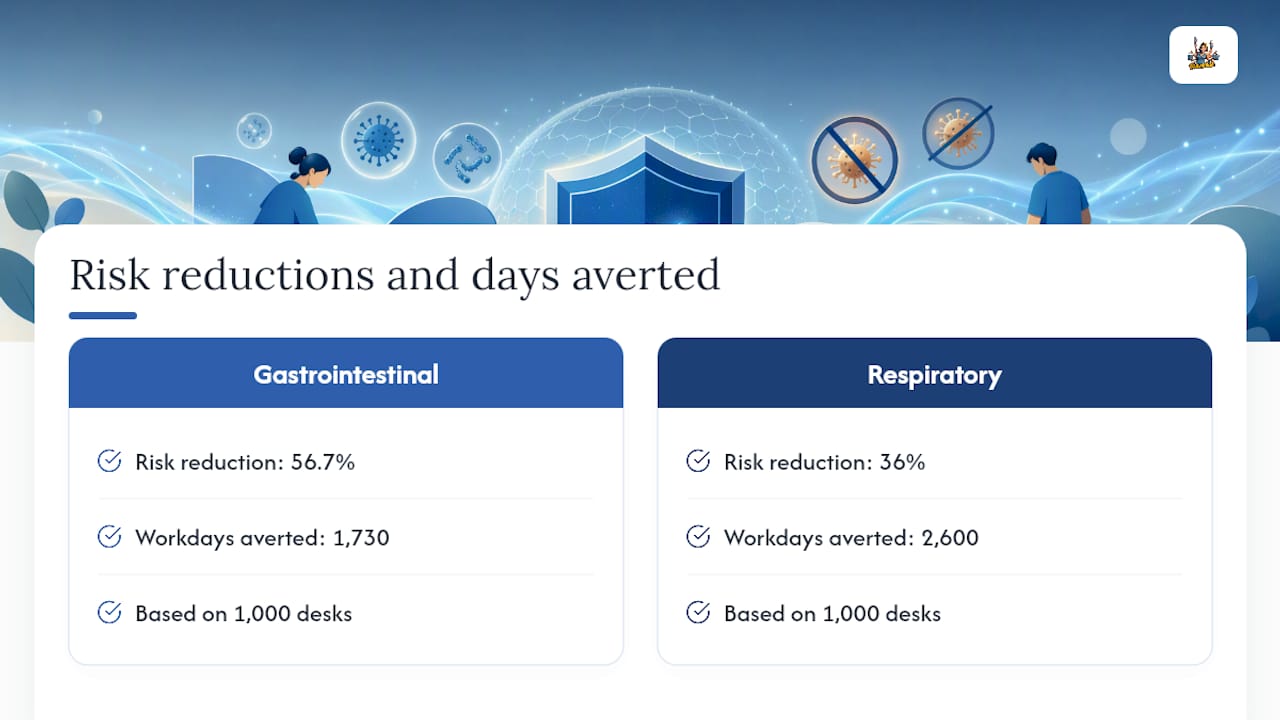
Translate those workday figures into salary costs and the ROI becomes concrete quickly. At an average fully-loaded cost of $300 per employee workday (salary, benefits, and lost output), preventing 2,600 respiratory-illness absences in a 1,000-desk office represents roughly $780,000 in avoided productivity loss annually, using the THI model’s projections. The cost of a daily disinfection protocol is a fraction of that figure.
Observational research also links shared-desk arrangements to higher medically certified sickness absence compared with private offices, reinforcing that the risk is structural, not incidental. Disinfection protocols do not eliminate the risk entirely, but the THI evidence shows they reduce it substantially.
Ready-to-use SOP for shared-desk disinfection
Purpose: prevent cross-contamination and reduce infection transmission at shared workstations.
Scope: all shared desks, hot desks, and communal workstations in the facility.
Supplies:
- EPA-registered disinfectant wipes (70% isopropyl alcohol or equivalent, screen-safe rated for electronics)
- Nitrile gloves (one pair per cleaning event)
- Hand sanitizer (at least 60% alcohol) at each desk cluster
- Spare wipes dispenser at each station
- Daily cleaning log (paper or digital)
Step-by-step method:
- Arrival wipe (user, 2 minutes): put on gloves. Wipe keyboard, mouse, phone handset, desk surface, and chair armrests with one EPA-registered wipe per surface. Allow the full label dwell time before touching surfaces. Dispose of wipes; remove gloves; sanitize hands.
- Departure wipe (user, 2 minutes): repeat step 1 before leaving the workstation.
- Scheduled professional clean (facility team, end of day): apply EPA-registered disinfectant to all shared surfaces, docking stations, shared supplies, and monitor controls. Observe full dwell time. Record in the daily log: date, time, product, dwell time, cleaner name, PPE worn.
- Post-illness disinfection (immediate, within 24 hours): isolate the workstation if possible. Perform a full disinfectant clean using an EPA-registered product. Notify the safety officer and document in the incident log.
Recordkeeping: file daily logs by desk cluster, retain for a minimum of one year, and make available for OSHA inspection on request.
Escalation: if two or more users in the same cluster report illness within 72 hours, notify building management and the safety officer immediately, increase disinfection frequency to between every user, and consider a temporary closure of the cluster for a deep clean.
Pro Tip: Laminate a one-page version of this SOP and attach it to each hygiene station. Users who can see the steps while they work are far more likely to follow them correctly.
The gap between policy and practice in shared-desk disinfection
From our team’s experience working with commercial clients, the most common failure in shared-desk disinfection programs is not a lack of policy. It is a lack of friction reduction. Managers write a protocol, post it in the employee handbook, and assume compliance follows. It rarely does.
The two gaps we see most often: dwell time is almost never observed correctly without a visual reminder, and users avoid the arrival wipe when supplies are not immediately visible at the desk. A wipe dispenser stored in a cabinet three feet away might as well be in another building from a behavioral standpoint.
Electronics damage anxiety is also real. Users hesitate to wipe keyboards and phones because they fear damaging them.
Finally, preserve your SDS sheets and product labels. OSHA inspectors ask for them. If you switch products mid-year, update the SDS binder and re-train the team on the new product before the old supply runs out.
Professional shared-desk disinfection is closer than you think
Managing a shared-desk disinfection program in-house is achievable, but it requires consistent training, supply management, documentation, and someone accountable for audits. When headcount is lean, turnover is high, or your facility includes vulnerable employees, outsourcing the daily disinfectant clean to a professional service is the more reliable path.
Octomaids has provided commercial cleaning and janitorial services to offices throughout Vancouver, WA and the Portland, OR metro area since 2006. Our teams arrive trained on EPA-registered product use, dwell-time compliance, and electronics-safe techniques. We handle the scheduled daily disinfectant clean, maintain cleaning logs you can produce for OSHA review, and provision supplies so your staff never faces an empty wipe dispenser. When you are ready to get a quote, have your desk count, daily turnover rate, and peak occupancy hours ready. Those three numbers let us build a schedule that matches your actual risk profile, not a generic one. See our office cleaning services to get started.
Sources
The following authoritative sources support the guidance in this article and are the primary references managers should consult for compliance and product selection.
- When and How to Clean and Disinfect a Facility | CDC
- Selected EPA-registered disinfectants
- Hazard Communication Standard (29 CFR 1910.1200) | OSHA
This article is general information, not a substitute for advice from a qualified doctor. Consult a qualified healthcare professional about your own circumstances before acting on anything here.
FAQ
What are the CDC guidelines for cleaning and disinfecting shared spaces?
CDC guidance instructs facilities to clean visibly dirty surfaces first, then apply an EPA-registered disinfectant and observe the full label contact time. For shared spaces, cleaning once per day is the baseline, with disinfection added whenever user turnover is high or a known exposure has occurred.
Why does contact time matter so much for disinfection?
Contact time, or dwell time, is the period a surface must remain visibly wet with disinfectant for the product to achieve its labeled kill claim. Wiping a surface dry before that time elapses means the chemical reaction is incomplete and pathogens may survive.
When should you clean and disinfect shared desks versus clean only?
Clean shared desks at minimum daily; add disinfection at every user transition and immediately, within 24 hours, after a confirmed or suspected infectious case, per OSHA and CDC guidance. High-turnover environments warrant disinfection between every user, not just once per day.
Why is regular disinfection especially important in hot-desking environments?
Each new user at a shared desk deposits fresh pathogens and picks up whatever the previous occupant left, creating a continuous cross-contamination cycle. Research links hot-desking to higher medically certified sickness absence than private offices, making regular disinfection a structural necessity rather than a precaution.
What PPE is required when using disinfectants on shared desks?
At minimum, nitrile gloves are required for most EPA-registered disinfectant wipes. Stronger products, such as bleach-based solutions, may require eye protection and ventilation. OSHA’s HazCom standard requires employers to specify PPE requirements in training and to make SDS sheets available for every product in use.