
Automating weekly cleaning tasks means scheduling or triggering routine chores through smart devices so they happen without you lifting a finger. The best candidates are high-frequency, low-complexity tasks like vacuuming floors, running air purifiers, and sanitizing personal items. A layered cleaning schedule that balances daily upkeep, fixed weekly chores, and rotating tasks prevents overwhelm while keeping your home consistently clean. Smart plugs, robot vacuums, and occupancy sensors make this kind of hands-free routine achievable for any busy homeowner or renter in 2026.
What are the top weekly cleaning tasks to automate?
The highest-impact weekly cleaning tasks to automate share two traits: they repeat every week without variation, and they require no judgment or physical dexterity. Floor vacuuming, air purification, and UV sanitization all fit this profile perfectly. Tasks that require you to scrub, sort, or inspect do not.
Here are the chores most worth putting on autopilot:
- Robot vacuuming. A robot vacuum running on a fixed morning schedule or a presence-based trigger handles floor maintenance without any input from you. Presence-based triggers activate the robot only after the home has been empty for 20 minutes, so it never interrupts your morning routine.
- Air purifier cycles. Plugging your air purifier into a smart plug and scheduling it to run during sleeping hours or peak cooking times keeps indoor air quality consistent. You set it once and forget it.
- UV-C sanitizer activation. UV-C sanitizing boxes for phones, keys, and remotes can be scheduled to run each morning via a smart plug. This is one of the most overlooked items on any weekly house cleaning checklist.
- Laundry reminders. Full automation of laundry is not yet practical for most households, but smart speakers can announce a laundry reminder at a set time each week. Pairing the reminder with a pre-sorted hamper system cuts the mental load significantly.
- Trash day alerts. A recurring smart speaker announcement the evening before collection day eliminates the frustration of a missed pickup. This is a simple but genuinely useful form of household chores automation.
Pro Tip: Start with just one automated task and run it reliably for two weeks before adding another. Confidence in the system matters more than the number of tasks you automate.
How to set up an automated weekly cleaning schedule
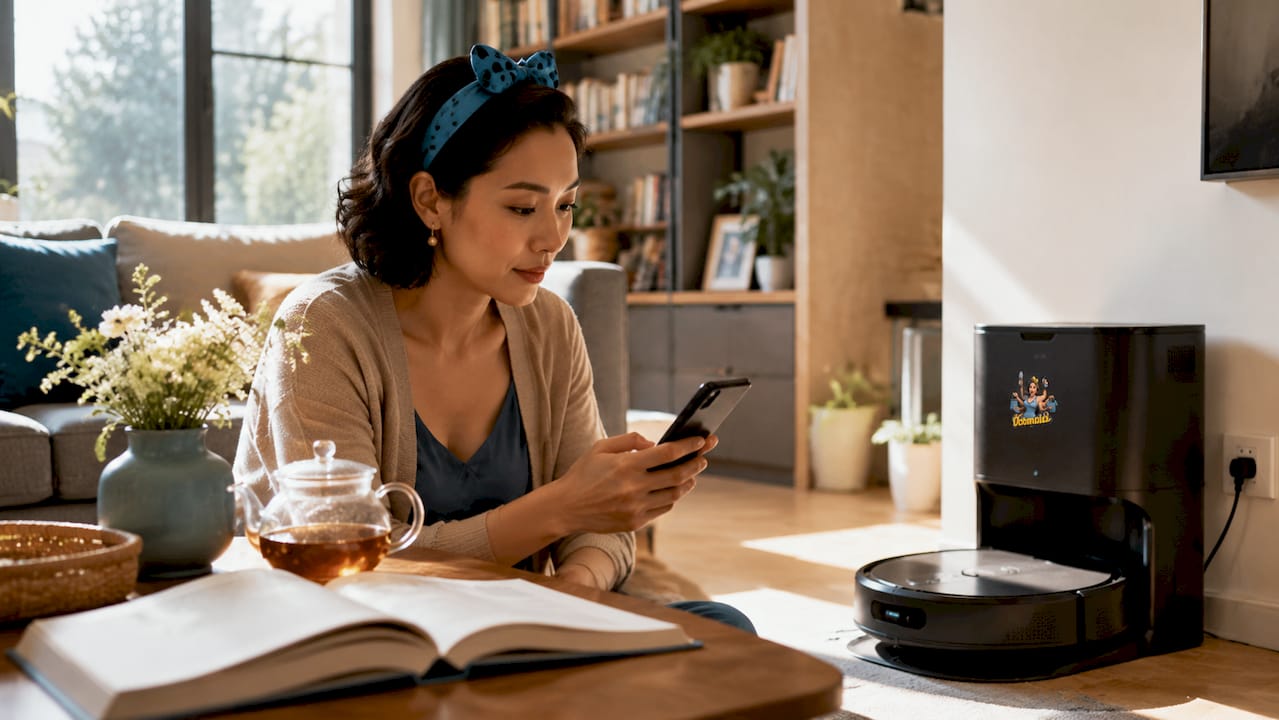
A well-designed automated cleaning schedule does not try to do everything at once. Smart home experts recommend starting with simple weekday morning vacuum schedules and expanding only after reliability is confirmed. That advice holds whether you are using a voice assistant, a dedicated app, or a smart home hub.
Follow this sequence to build a schedule that actually sticks:
- Pick one high-frequency task. Robot vacuuming is the best first choice because the payoff is immediate and visible. Set it to run Monday, Wednesday, and Friday at 8:00 a.m.
- Add a staggered second trigger. If you add an air purifier schedule, set it to start at 8:05 a.m., not 8:00 a.m. Staggering triggers by a few minutes avoids Wi-Fi congestion and ensures all commands execute properly.
- Use presence detection where possible. Phone location detection or a motion sensor that has been quiet for 30 minutes outperforms fixed schedules because it catches missed days and avoids disrupting occupied rooms.
- Layer in weekly reminders. Use a smart speaker to announce manual chores like bathroom cleaning every Saturday morning. The announcement takes the decision-making out of the equation.
- Build in a rotating focus. Organizational experts recommend a 30-day rotating task cycle that covers areas like baseboards, ceiling fans, and window tracks on a monthly basis. Automate the reminder; do the task manually.
- Review and adjust after 30 days. Look at which automations ran reliably and which ones you overrode. Remove what did not help and refine what did.
Pro Tip: Choose smart plugs with internal clocks for your most critical devices. These run locally during outages and keep your schedule intact even when your internet goes down.
What smart devices work best for automating cleaning tasks?
The right technology makes the difference between a cleaning routine that runs itself and one that constantly needs fixing. Each device category has a distinct strength, and knowing which to use for which task saves both money and frustration.
Smart plugs
Smart plugs cost $8 to $25 each and are the lowest-barrier entry point for automating cleaning appliances. They work with any device that plugs into a wall, including air purifiers, UV sanitizers, and fan-assisted dehumidifiers. Choose models with onboard scheduling so they function without a cloud connection.
Robot vacuums with occupancy sensing
Standard robot vacuums run on fixed timers, which means they sometimes clean while you are home and miss days when your schedule shifts. Models equipped with mmWave radar sensors solve this problem. mmWave radar detects true room presence by sensing subtle movements, not just large motion, so the robot avoids occupied rooms dynamically rather than bumping into you.
Dual-station floor cleaning robots
The newest floor cleaning robots connect directly to your home’s water supply and drain line. These dual-station designs eliminate manual tank refills and enable near-complete autonomous floor cleaning. They represent the current ceiling of what household chores automation can achieve for floors.
Home automation platforms
Platforms like Home Assistant allow you to connect robot vacuums, smart plugs, and presence sensors into a single coordinated system. This is where presence-based triggers, conditional logic, and device grouping become possible. The learning curve is real, but the payoff for a multi-device home is significant.
| Device type | Best use case | Key limitation |
|---|---|---|
| Smart plug (local clock) | Air purifiers, UV sanitizers | No motion awareness |
| Robot vacuum (timer only) | Fixed-schedule floor cleaning | Runs regardless of occupancy |
| Robot vacuum (mmWave radar) | Presence-aware floor cleaning | Higher upfront cost |
| Dual-station floor robot | Fully autonomous mopping | Requires plumbing connection |
| Home automation platform | Multi-device coordination | Setup complexity |
Which cleaning tasks resist full automation?
Automation handles repetitive, low-judgment tasks well. It does not handle tasks that require physical inspection, scrubbing, or contextual decision-making. Knowing this boundary protects you from frustration and keeps your home genuinely clean, not just technically maintained.
Tasks that still require your hands every week include:
- Bathroom surfaces. Toilets, sinks, and shower walls accumulate soap scum, mold, and bacteria that require scrubbing and disinfectant contact time. No current consumer robot handles these surfaces reliably.
- Kitchen counters and appliances. Grease, food residue, and spills vary too much in type and location for automation to address. Industry guidance is clear that high-touch kitchen and bathroom cleaning should remain a manual weekly habit.
- Clutter management. Picking up, sorting, and putting away items requires judgment that no current home robot provides at a consumer price point.
- Glass and mirror cleaning. Streak-free results on mirrors and windows still depend on technique and the right cloth, not a scheduled device.
- Deep cleaning tasks. Oven interiors, refrigerator coils, and grout lines belong on a rotating monthly or quarterly schedule. A room-by-room deep clean checklist keeps these tasks from falling through the cracks.
The most effective approach pairs automated reminders with focused 15-minute manual sessions. When a smart speaker announces “bathroom cleaning” every Saturday at 10:00 a.m., the task gets done consistently without requiring you to remember it. Automation handles the trigger; you handle the scrubbing.
Key takeaways
The most effective automated cleaning routine focuses on high-frequency, low-judgment tasks and uses presence-based triggers, locally scheduled smart plugs, and layered reminder systems to keep a home clean without constant oversight.
| Point | Details |
|---|---|
| Automate high-frequency tasks first | Robot vacuuming and air purification deliver the fastest, most visible return on automation effort. |
| Use presence-based triggers | mmWave radar sensors outperform fixed timers by cleaning only when rooms are empty. |
| Stagger device triggers | Offset automation start times by several minutes to prevent Wi-Fi congestion and missed commands. |
| Choose local-clock smart plugs | Plugs with onboard scheduling keep air purifiers and sanitizers running during internet outages. |
| Keep manual tasks on a reminder system | Bathroom and kitchen surfaces still need hands-on weekly attention, supported by smart speaker announcements. |
What I’ve learned from watching automation actually work in real homes
I have seen homeowners go all-in on automation from day one and burn out within a month. The devices pile up, the routines conflict, and the whole system gets turned off in frustration. The ones who stick with it do the opposite. They automate one thing, watch it work reliably for two weeks, and then add the next layer.
The other pattern I notice is that people underestimate how much the manual tasks still matter. A robot vacuum running three times a week is genuinely useful. But if the bathroom goes untouched because someone assumed “the house is automated now,” the home does not feel clean. Automation handles the background hum of maintenance. It does not replace the focused effort that makes a home feel cared for.
The technology is genuinely impressive in 2026. Dual-station floor robots, mmWave presence detection, and locally scheduled smart plugs are not gimmicks. They work. But they work best when you treat them as support for your cleaning habits, not a replacement for them. If you are curious about how cleaning frequency affects home health, that context helps you decide which tasks deserve automation priority.
Start small. Build trust in the system. Then expand. That is the only approach I have seen work consistently.
— Steven
How Octomaids fits into your automated cleaning routine
Automation handles the repetitive work well. The gaps it leaves are exactly where professional cleaning makes the biggest difference.
Octomaids has served homeowners and renters in Vancouver, WA and Portland, OR since 2006. Our recurring cleaning services are designed to fill in the manual and deep cleaning tasks that no robot can handle, from bathroom scrubbing to kitchen appliance surfaces. Whether you need a one-time reset or a regular visit that works alongside your automated schedule, our family-owned team sends the same trusted cleaners every time. Explore our home cleaning best practices or book recurring cleaning services that complement what your devices already do.
FAQ
What are the easiest weekly cleaning tasks to automate?
Robot vacuuming and air purifier scheduling are the easiest starting points. Both require a one-time setup and run reliably without ongoing input.
Do robot vacuums work better with a fixed schedule or presence detection?
Presence-based triggers outperform fixed schedules because they clean when rooms are empty and catch missed days automatically. mmWave radar sensors provide the most accurate occupancy detection.
How much do smart plugs cost for cleaning automation?
Smart plugs for automating cleaning devices cost between $8 and $25 each, making them the most affordable entry point for any automated cleaning schedule.
Which cleaning tasks should never be fully automated?
Bathroom surfaces, kitchen counters, and clutter management require manual attention every week. Current consumer robots cannot scrub, disinfect, or make judgment calls about what belongs where.
How do I prevent my automation from failing during an internet outage?
Choose smart plugs with internal clocks rather than cloud-only scheduling. These devices run their programmed schedules locally and keep critical cleaning devices running even when your router goes offline.

