


Six actions cover most of what a shared workspace needs to stay sanitary: clean high-touch surfaces daily, disinfect on a set schedule, check ventilation monthly, train staff on PPE and hazard communication, follow a written protocol after anyone gets sick, and document every task. Here’s who owns what:
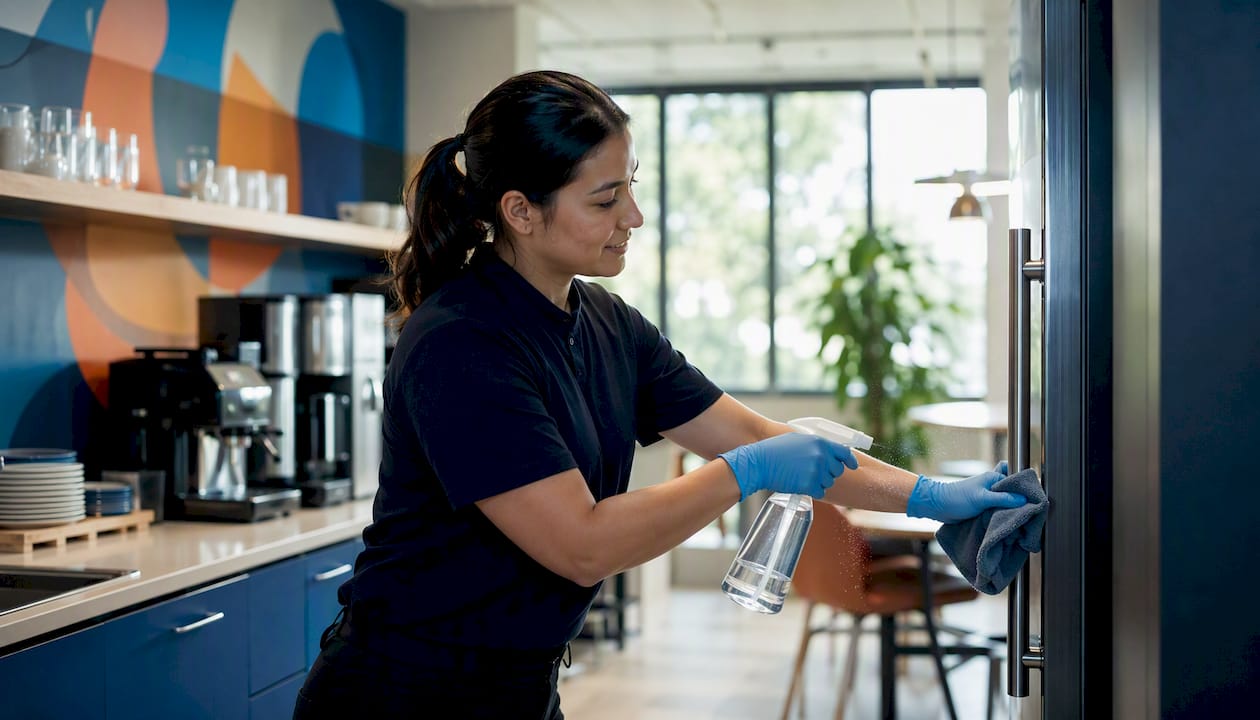
- Daily high-touch cleaning — Floor lead wipes doorknobs, light switches, and shared keyboards before 9 a.m. and again after lunch.
- Scheduled disinfecting — Janitorial staff disinfect restrooms and break rooms at close, using an EPA-registered product at full contact time.
- Ventilation checks — Facility manager confirms filter status and outdoor-air settings monthly.
- PPE and staff training — Supervisor runs a 15-minute Hazard Communication refresher quarterly.
- Post-illness protocol — Office admin closes the affected area and triggers the 24-hour wait-then-disinfect sequence.
- Documentation and audits — Manager logs completed tasks weekly and reviews for gaps.
Key Takeaways
Shared workspace sanitation works when a written schedule, trained staff, EPA-registered products, and consistent documentation all operate together rather than in isolation.
| Point | Details |
|---|---|
| Clean before you disinfect | Soap and water first, then an EPA-registered disinfectant at full label contact time. |
| Scale frequency to traffic | Daily high-touch cleaning, weekly general cleaning, monthly to quarterly deep cleans. |
| Train on hazard communication | Cover SDS reading, dilution, PPE, and spill response per OSHA’s 1910.1200 standard. |
| Wait 24 hours after illness | Close the area, ventilate, then clean and disinfect per CDC’s post-illness sequence. |
| Consider a professional partner | Octomaids offers background-checked recurring commercial cleaning across Vancouver, WA and Portland, OR for teams that need reliable coverage. |
Table of Contents
- Why Consistent Shared Workspace Sanitation Best Practices Matter
- Cleaning Versus Disinfecting: When to Do Each and How
- How Often Should You Clean a Shared Workspace?
- Which High-Touch Surfaces Need the Most Attention?
- Ventilation and HVAC: Practical Steps to Reduce Airborne Risk
- How Do You Train Staff on Cleaning Chemical Safety?
- How Do You Choose the Right Disinfectant for an Office?
- What Should You Do After Someone Gets Sick at Work?
- Facility Basics: Restrooms, Floors, Waste, and Pest Control
- A Sample Daily Sanitation Checklist You Can Print
- A Facility Manager’s Priorities for the First 30 Days
- When It Makes Sense to Bring in a Professional Cleaning Team
- Sources
- FAQ
Why Consistent Shared Workspace Sanitation Best Practices Matter
Consistent sanitation cuts absenteeism and keeps a shared office running without the disruption of a norovirus outbreak or a flu wave tearing through open-plan desks. The CDC’s guidance on cleaning and disinfecting facilities notes that routine cleaning of high-touch surfaces, done correctly and often, is usually enough to reduce germ transmission in non-healthcare settings without heavy reliance on disinfectants.
The business case is straightforward:
- Fewer sick days translate directly into fewer scheduling gaps.
- Visible cleanliness shapes how clients and coworking tenants judge your operation before they judge anything else.
- A documented protocol protects you if a health complaint or inspection ever comes up.
Cleaning Versus Disinfecting: When to Do Each and How
Cleaning removes dirt and germs with soap or detergent. Disinfecting kills remaining pathogens on a surface, and it only works after the surface is clean. The CDC is direct about the order: clean first, then disinfect if the surface carries elevated risk, like a shared phone after a coworker sneezed on it or a conference table after a symptomatic visitor sat there.
For a typical shared-surface task, follow this sequence:
- Put on gloves appropriate to the chemical you’re using.
- Wipe the surface with soap or detergent and water to remove visible soil.
- Apply an EPA-registered disinfectant, following the label’s stated contact (wet) time exactly. Most require the surface stay visibly wet for one to ten minutes.
- Let the surface air dry rather than wiping it immediately.
- Remove gloves and wash your hands.
Pro Tip: Never spray disinfectant directly onto a keyboard or touchscreen. Use a wipeable cover where possible, and check the manufacturer’s guidance before applying any liquid near electronics. Also never mix bleach with ammonia-based cleaners; the fumes are genuinely dangerous, not just unpleasant.
How Often Should You Clean a Shared Workspace?
Daily attention to high-touch points, weekly attention to everything else, and a deeper pass monthly and quarterly covers most office environments. Scale up frequency wherever foot traffic runs heavy, since general cleaning guidance treats daily high-touch cleaning as a baseline that should flex with occupancy rather than a fixed number.
| Task Category | Suggested Frequency | Responsible Role |
|---|---|---|
| High-touch surfaces (doorknobs, switches, keyboards) | Daily, twice for high-traffic zones | Cleaning staff or shift lead |
| General office cleaning (desks, floors, trash) | Weekly | Janitorial team |
| Deep clean (carpets, upholstery, vents) | Monthly to quarterly | Contracted cleaning service |
| Full facility deep clean | Annually or after major events | Professional cleaning partner |
- Run heavier tasks like carpet extraction or vent cleaning after hours to avoid disrupting work.
- During business hours, stick to quick high-touch wipe-downs that take seconds, not minutes.
A detailed office cleaning schedule built around actual usage patterns beats a generic template every time, and it’s worth revisiting quarterly as headcount or layout changes.
Which High-Touch Surfaces Need the Most Attention?
Doorknobs, light switches, shared keyboards and mice, printer touchscreens, faucet handles, conference-room touch panels, and break-room counters see the most contact per square foot in any shared office. These are the surfaces where a micro-clean between users matters more than a scheduled deep wipe.
- Assign floor staff to wipe conference-room touch panels between every meeting, not just at day’s end.
- Reduce touch points directly: swap communal pens for personal ones, or replace a shared stapler bank with individual desk supplies.
- Post simple signage near shared equipment reminding occupants to wipe down before they leave, the same habit gyms have used for years with shared machines.
- Treat printers and coffee machines as their own micro-zone: wipe touchscreens and handles at each shift change, not just once daily.
Ventilation and HVAC: Practical Steps to Reduce Airborne Risk
Improving airflow works alongside surface sanitation, not instead of it. Surface cleaning handles what people touch; ventilation handles what people breathe, and the CDC’s reopening framework treats increased outdoor air exchange as a genuine mitigation layer alongside routine cleaning.
Practical steps facility teams can take without a full HVAC overhaul:
- Ask your HVAC contractor about current filter MERV rating and whether a higher-rated filter fits your system without straining airflow.
- Increase the outdoor air fraction where the system allows it, even a modest bump helps.
- Run the ventilation system longer before and after occupied hours rather than shutting it down the moment the last person leaves.
- Add portable HEPA air cleaners in conference rooms or any space with poor natural airflow.
- Request a written summary from any HVAC vendor confirming filter type, service date, and outdoor air settings, so you have a record on file.
How Do You Train Staff on Cleaning Chemical Safety?
Mandatory training on chemical handling reduces injuries and cuts your legal exposure if something goes wrong. OSHA’s Hazard Communication Standard, 29 CFR 1910.1200, requires that anyone handling cleaning chemicals understand the labels, the Safety Data Sheets, and the protective equipment those products call for.
Build your training checklist around these items:
- How to locate and read a Safety Data Sheet before using any new product.
- Correct dilution ratios and the label’s required contact time, since guessing on either one undermines the disinfectant’s effectiveness.
- Spill response steps, including what to do if a chemical contacts skin or eyes.
- Proper PPE donning and doffing, gloves first, removed last, hands washed after.
- Ventilation precautions when working in small rooms like supply closets or restrooms.
Pro Tip: Store chemicals in their original labeled containers, never in unmarked spray bottles, and keep incompatible products (bleach and ammonia, for instance) on separate shelves. If a spill involves an unknown substance or covers more than a small area, stop and call a licensed contractor rather than improvising.
How Do You Choose the Right Disinfectant for an Office?
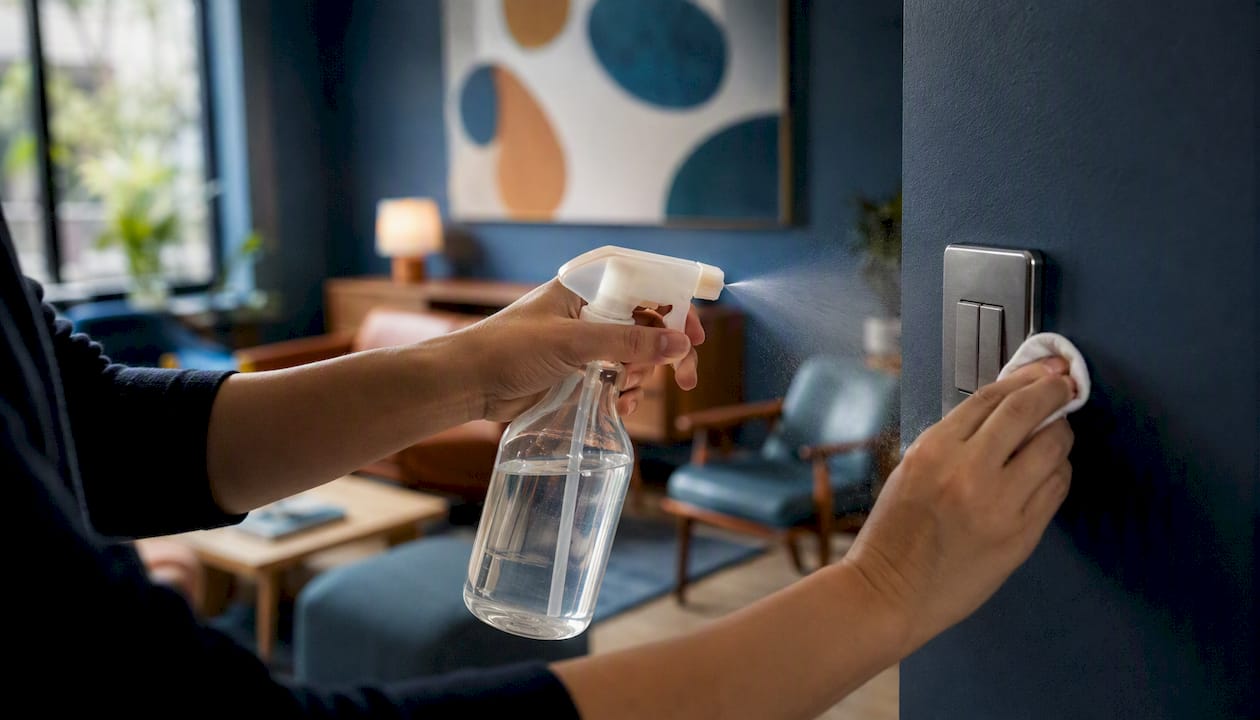
Prioritize disinfectants that carry EPA registration for the specific microbe and surface you’re targeting, and follow the label’s contact time without shortcuts. A product that claims to kill 99.9% of germs does nothing useful if it’s wiped off before the stated wet time elapses.
Before you buy, run through this checklist:
- Confirm the product is safe for the surface (some disinfectants damage electronics, upholstery, or certain metals).
- Keep the Safety Data Sheet on file for every product in your inventory.
- Note the PPE the label requires and stock it alongside the product.
- Follow dilution instructions to the letter; over-diluting weakens the product, under-diluting wastes it and can irritate skin.
- Check expiration dates and storage requirements, since heat and light degrade many disinfectants faster than people expect.
When EPA-registered products aren’t available, the CDC’s reopening guidance lists diluted bleach or 70% alcohol solutions as acceptable alternatives, though neither belongs anywhere near sensitive electronics.
What Should You Do After Someone Gets Sick at Work?
Close off the affected area, wait 24 hours if your schedule allows it, then clean before you disinfect. That sequence, laid out in CDC technical guidance, gives any airborne particles time to settle before staff enter the space.
Work through the sequence in order:
- Restrict access to the area immediately.
- Increase ventilation if possible, open windows, run exhaust fans.
- Wait 24 hours before entering, if operations permit it.
- Have staff put on gloves and any other PPE the product label requires.
- Clean visible surfaces with soap and water first.
- Disinfect surfaces, giving special attention to shared electronics like phones, keyboards, and touchscreens.
- Dispose of cleaning waste according to your facility’s standard procedure.
Log the work immediately afterward: who performed the cleaning, what product was used, what time the work started and finished. That record lets a supervisor audit compliance later and gives you something concrete to show if anyone asks whether the space was handled properly.
Facility Basics: Restrooms, Floors, Waste, and Pest Control
Potable water, adequate lavatories, cleanable waste receptacles, dry floors, and an active vermin-control program aren’t optional extras. They’re the floor OSHA sets for every workplace. OSHA’s sanitation standard specifies toilet counts by workforce size, requires waste receptacles that can actually be cleaned, and calls for a documented pest-control program.
- Check restrooms daily for supply levels, standing water, and general condition.
- Set waste pickup on a cadence that matches actual volume, overflowing bins invite pests fast.
- Schedule pest inspections quarterly, or immediately if staff report activity.
- Keep floors dry and mark wet areas promptly to prevent slips.
A Sample Daily Sanitation Checklist You Can Print
A one-page daily checklist keeps everyone aligned: list each high-touch zone, the task, estimated duration, and the role responsible, then leave a sign-off line for whoever completes it.
- Doorknobs and switches — 5 minutes, floor lead, morning and afternoon.
- Shared equipment (printers, coffee machines) — 10 minutes, floor lead, twice daily.
- Restrooms — 15 minutes, janitorial staff, morning and midday.
- Break room surfaces — 10 minutes, janitorial staff, after lunch.
Store completed forms in a shared binder or digital folder so a manager can spot gaps at a glance. A room-by-room deep clean checklist built for homes translates surprisingly well into shared workspace zones once you swap bedrooms for break rooms and bathrooms for shared restrooms.
A Facility Manager’s Priorities for the First 30 Days
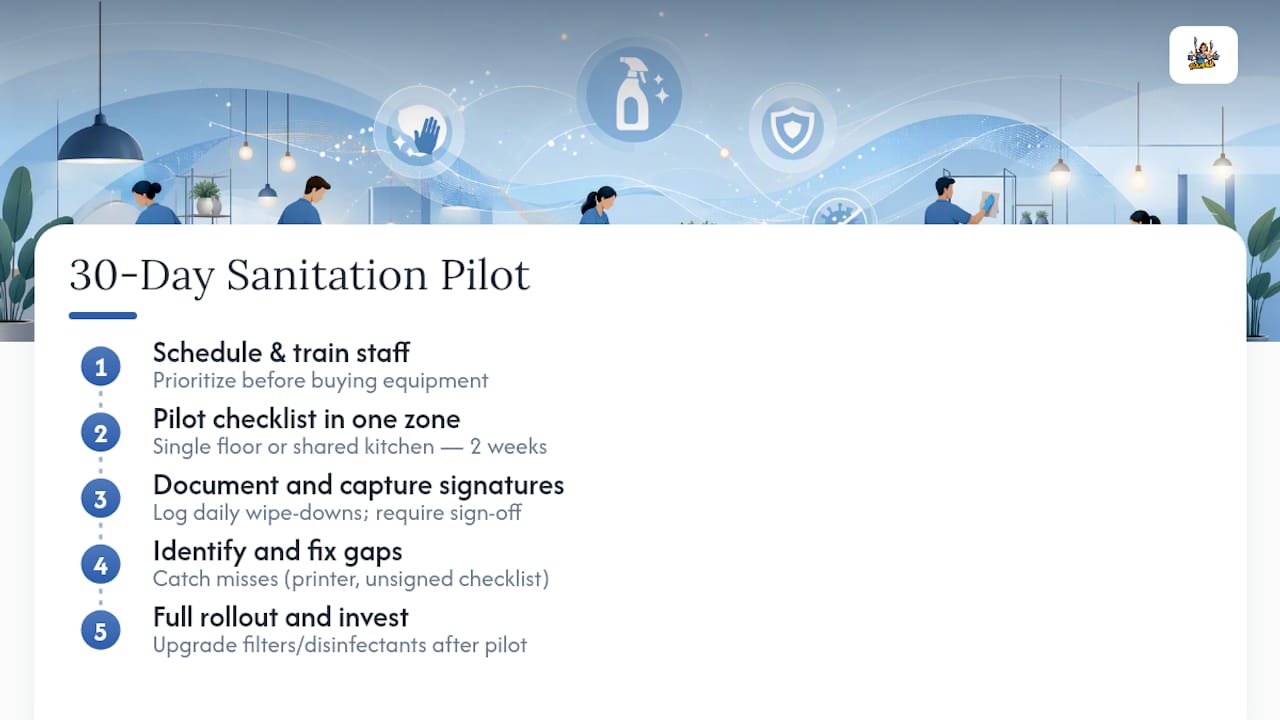
If I were standing up a sanitation program from scratch, I’d resist the urge to buy new equipment first. Schedule, training, and documentation come before products and ventilation upgrades, because a beautiful HVAC retrofit means nothing if nobody’s logging whether the daily wipe-downs actually happened.
Pilot your checklist in one zone, a single floor or one shared kitchen, for two weeks before rolling it out building-wide. You’ll catch the gaps that look fine on paper but fall apart in practice: the printer nobody remembers to wipe, the checklist nobody signs. Only after that pilot proves itself does it make sense to invest in better filters or a new disinfectant line.
When It Makes Sense to Bring in a Professional Cleaning Team
Outsourcing makes sense the moment your in-house team can’t reliably cover recurring deep cleans, certified chemical handling, or after-hours janitorial work without pulling staff away from their actual jobs, as with Office & Commercial Cleaning in Miami | Limpieza Tropical. Running a shared workspace already means juggling occupants, schedules, and compliance paperwork, and sanitation shouldn’t be the thing that falls through the cracks.
Octomaids has handled office and commercial cleaning throughout Vancouver, WA and the Portland, OR metro area since 2006, with background-checked teams who show up as the same crew every visit rather than a rotating cast of strangers. That consistency matters for shared workspaces specifically: the same cleaners learn your high-touch zones, your equipment, and your quirks instead of relearning your floor plan every week. Our commercial janitorial service covers recurring contracts scaled to your traffic, and our full services page outlines options from weekly maintenance to deep cleans. If your current checklist has gaps or your team is stretched thin, request a quote and let us walk through what a recurring schedule would look like for your space.
Sources
Keep these references bookmarked for your team, they cover the regulatory and technical detail this article summarizes:
- 1910.141 – Sanitation. | Occupational Safety and Health Administration
- When and How to Clean and Disinfect a Facility | CDC
Keep Safety Data Sheets and completed cleaning logs somewhere your whole team can reach quickly, not buried in one manager’s inbox.
FAQ
What’s the difference between cleaning and disinfecting?
Cleaning removes dirt and germs with soap or detergent; disinfecting kills remaining pathogens on an already-clean surface using an EPA-registered product at its labeled contact time.
How often should high-touch surfaces be cleaned in a shared office?
Daily is the baseline for doorknobs, switches, and shared keyboards, with more frequent wipe-downs during high-traffic periods or flu season.
How long should you wait to clean after someone gets sick?
Close the area and wait 24 hours when your schedule allows it, then clean before disinfecting, per CDC guidance.
Do I need EPA-registered products, or will regular cleaners work?
Routine cleaning with soap and water handles most day-to-day needs, but EPA-registered disinfectants are recommended for high-touch surfaces and after illness events.
When should a business hire a professional cleaning company instead of handling it in-house?
Outsourcing makes sense when your team lacks time for recurring deep cleans or certified chemical handling; Octomaids provides background-checked commercial cleaning teams across Vancouver, WA and Portland, OR for exactly this gap.